Salik Recharge – Different Ways to Recharge Salik in Dubai


 April 6, 2026 10:09 am
In 2007, Dubai Roads and Transport Authority (RTA) launched Salik, an electronic toll gate system that ensures seamless traffic movement throughout the city.
Whether you’re a local on your daily commute or a visitor to Dubai, renting a car is a great option, without the commitment of owning one. In addition to improving traffic management, Salik Dubai also reduces congestion and streamlines vehicle movements, according to a guide from Hertz.
For this system to work efficiently, motorists need to top up their Salik accounts regularly. You can recharge your Salik account using multiple online and offline Salik recharge methods in this guide, ensuring convenience and efficiency.
What is Salik Recharge?
Dubai Salik Recharge allows you to add credit to your Salik account, which is the emirate’s electronic road toll system. A prepaid system, it requires users to maintain a positive balance, with credit cards, recharge cards, the Smart Salik app, websites, banks, and kiosks all available as ways to top up.
Different Ways to Recharge Your Salik Account in Dubai
You can recharge your Salik account in Dubai through the following methods:
Smart Salik Website and App
Recharging your Salik account is easy through the Smart Salik app and the Salik website.
Recharge Salik via Salik App
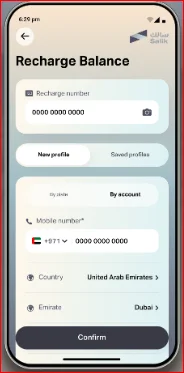
- Download the “Salik App” and “Create an Account.”
- Your “Username” and “PIN Code” are required to log in.
- Select the “Recharge” option from the menu.
- Choose “ePay” and enter your payment details.
- Submit the amount you wish to add to your Salik account.
- Message confirming your Salik account number and balance.
Recharge Salik via Salik web portal
- Visit the Salik website (www.salik.ae).
- To access Salik, “Sign In” with your Salik account details or “Create” an account if you’re a first-time user.
- Click on “Recharge Number.”
- Please enter the “Number” on your recharge card.
- Recharge the “Amount” and “Confirm” the payment.
- A confirmation email or SMS will be sent to you.
Recharge Salik via Mobile Banking Apps
In Dubai, most banks offer Salik recharge services directly from their mobile banking apps. Steps:
- Log in to your bank’s mobile app.
- Go to the “Payments” or “Services” section and select “Salik Recharge.”
- Enter your Salik account number or tag number.
- Choose your recharge amount and pay through your bank account.
- You will receive an instant update to your Salik balance.
Recharge Salik via RTA App
Salik accounts can also be recharged using the Roads and Transport Authority (RTA) app. Steps:
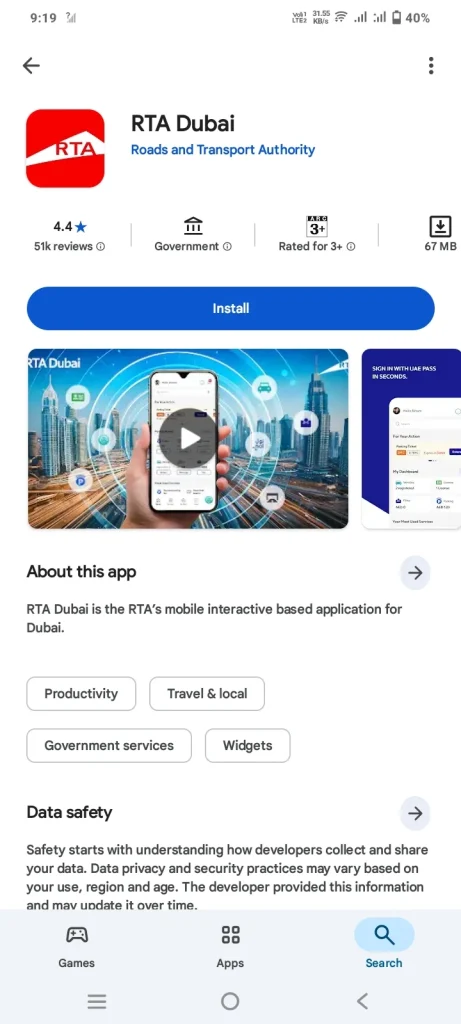
- Download the RTA app from Google Play or the Apple App Store.
- Log in using your RTA account credentials.
- Navigate to the “Salik Services” section and select “Recharge Account.”
- Please enter your Salik account details and recharge the amount.
- Once you confirm the transaction, your balance will be updated immediately.
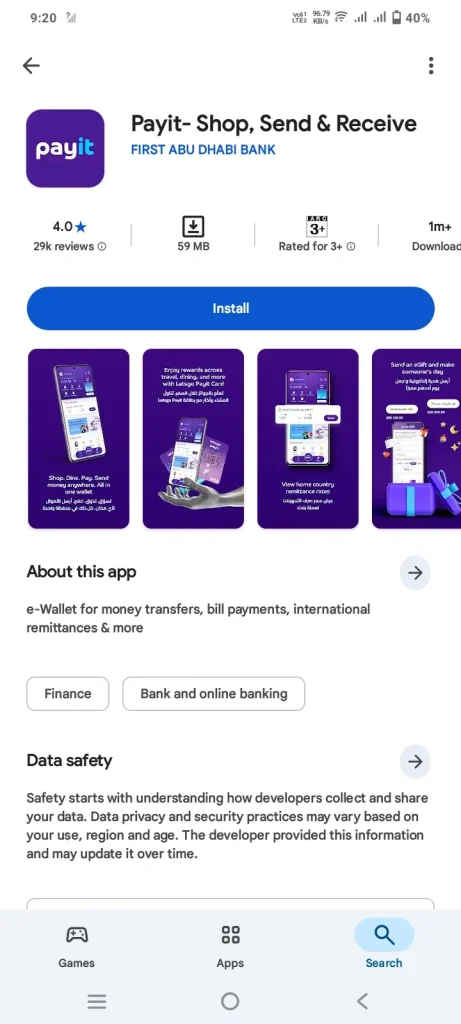
Recharge Salik via Payit App
Salik recharges are also supported by Payit, an all-in-one digital wallet app.
- Download and Open the Payit app on your smartphone.
- Select the “Salik Recharge” option under the “Pay Bills” tab.
- Enter your Salik tag number or account information.
- Using your Payit balance, choose your recharge amount.
- You will see the recharge reflected in your account immediately.
Recharging Salik with a Salik Card
The Salik card allows you to recharge your balance in three amounts: 50, 100, and 200 AED. The card can be used in several locations and in several ways.
- Phone Call: Simply call the Salik helpdesk at 800-SALIK (72545), scratch the number on the back of the card, and enter it when prompted. Once the process is completed, you will receive a confirmation message on your phone.
- SMS: Scratch the number on the back of the card and send the message in the following format: R12-digit number, Salik account number, Salik PIN to 5959. Once the process is completed, you will receive a confirmation SMS with your new balance.
A Salik Recharge Card can be purchased at any petrol station (ENOC, EPPCO, ADNOC, or Emarat) or select retail outlets.
Recharge Salik via Banks and ATMs
The Salik account can be recharged at some banking facilities in Dubai, including ATMs and Cash Deposit Machines (CDMs). Follow the on-screen instructions to refill your Salik account.
Recharge Salik via Self-service kiosks

The RTA Smart Drive App allows you to locate Salik kiosks in Dubai. You will need to enter your username (or registered email address) and password when visiting a Salik kiosk. Select the “Recharge Tab” and deposit cash into your Salik account. Once the top-up is confirmed by the kiosk, it will automatically complete the transaction.
Tips to Maintaining Your Salik Account
Maintaining your Salik balance is just as important as managing any other account in the UAE, as an insufficient balance can lead to fines. Since there are multiple ways to keep track of your balance, staying updated isn’t difficult. However, the following steps are recommended to avoid any issues:
- Enable Auto Recharge: Setting up automatic top-ups ensures your Salik account always has enough balance. This is the most effective way to avoid fines.
- Monitor Your Balance Regularly: Use apps like Smart Salik or RTA to check your balance frequently and stay informed. You can also visit the official Salik website for balance checks.
- Plan Ahead for Long Trips: If you recharge based on usage, calculate the number of toll gates on your route in advance to estimate charges and top up accordingly.
What is the Salik minimum Top-Up and Limits?
You must deposit at least 50 AED to your Salik account to top it up. This is the standard minimum amount, regardless of the method you use.
If you are a frequent traveler, there is sufficient room in your Salik account for 50,000 AED to ensure peace of mind. However, you should not become complacent with your recharges despite having enough balance.
What is the Fee for Passing Salik Without Balance?
It takes a day or two for Salik tags to reflect on your account once your vehicle passes through a Salik toll. This is especially true if you pass through both the Mamzar Salik gate and the north toll. As a result, when your account balance reaches zero, there will be a grace period for you to recharge. If you do not recharge, you may incur fines.
- First offense: 50 AED
- Second offense: 100 AED
- Subsequent offenses: 200 AED per violation
FAQs About Salik Recharge
Conclusion
Salik makes driving in Dubai smooth and efficient, provided your account is always topped up. With multiple recharge options available, managing your Salik balance is easy, convenient, and essential to avoid fines and enjoy hassle-free travel.
Dubai Abulhoul Alfalasi
I am Dubai Abulhoul Alfalasi, an Emirati author, diplomat, and founder of Fiker Institute. My work focuses on global governance, diplomacy, and cultural dialogue. Through my writing, I aim to inspire thoughtful leadership. Visit my website: https://evgfinecheckae.com/ for more insights